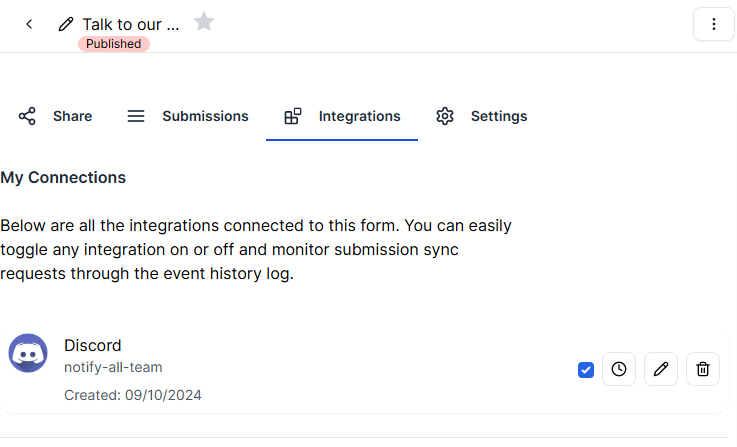

Discord Integration using webhooks
We can integrate with Discord using webhooks. This integration is very simple—you just need to create a webhook and copy the webhook URL, please follow the next steps.
Steps on Discord
Select/create a text channel
You can either create a new text channel or select an existing one to send the form responses. Make sure that all members who need to see the submissions are in the channel.
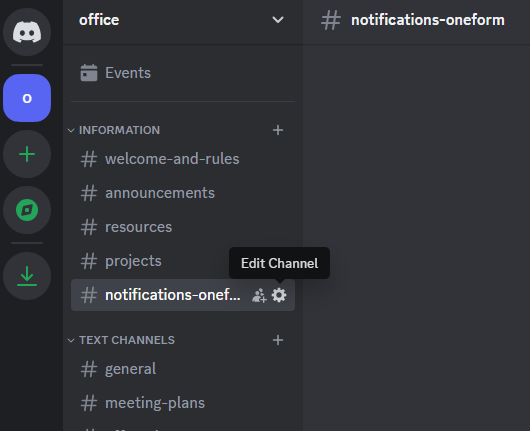
Navigate to integrations
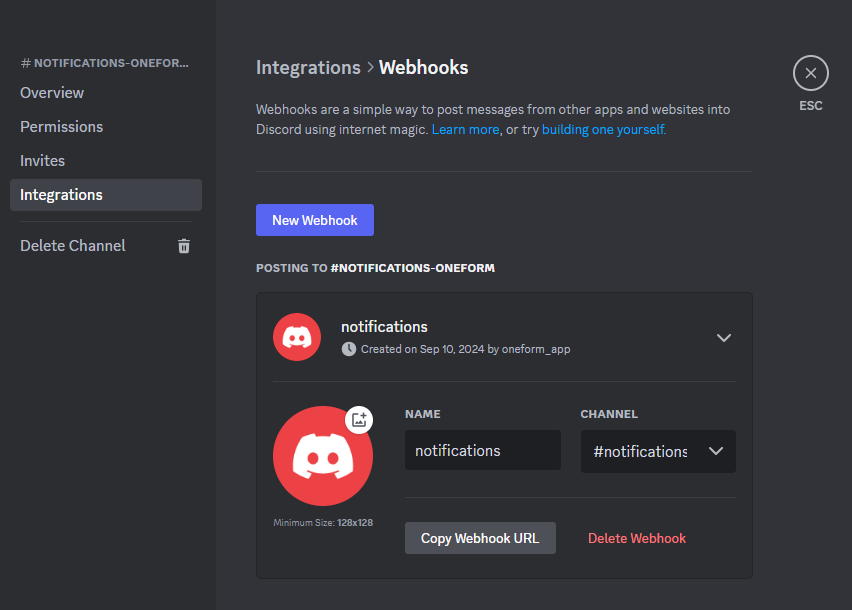
Navigate to the Integrations section in the left sidebar of the window that appears on the screen.
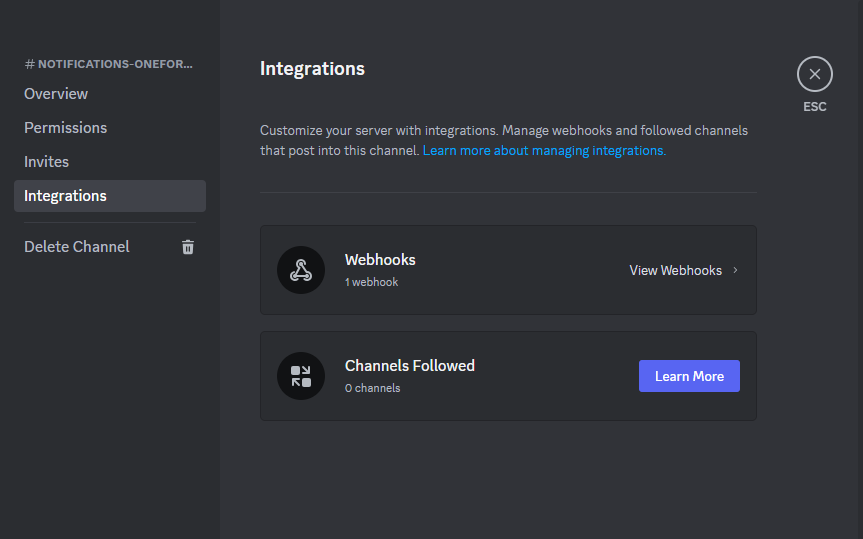
Create a new webhook
If this is the first time you're navigating to this panel, Discord automatically creates a webhook for you by default. Alternatively, you can create a new one by pressing the 'New webhook' button.
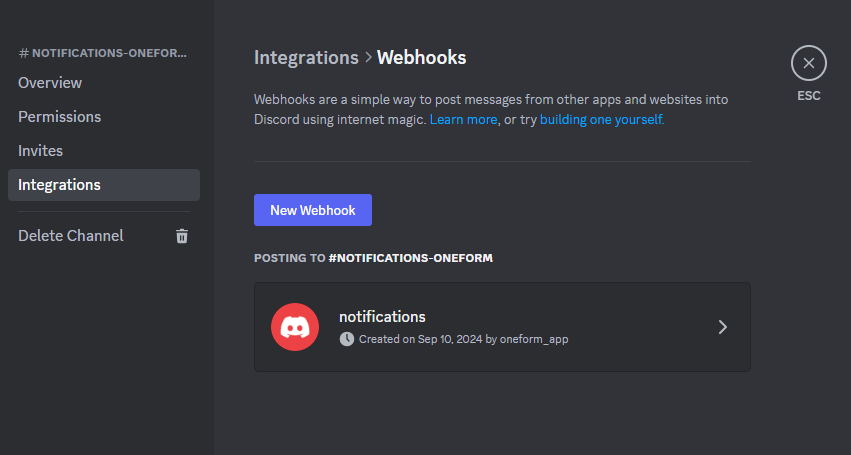
Copy the webhook url
Change the integration name to something meaningful for you, and copy the webhook URL.
Steps on oneform
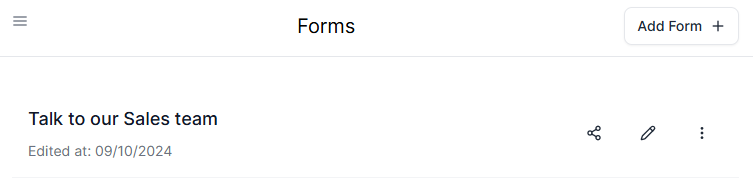
View Form Settings
From the list of forms, select the one you want to configure. Remember, the form needs to be published.
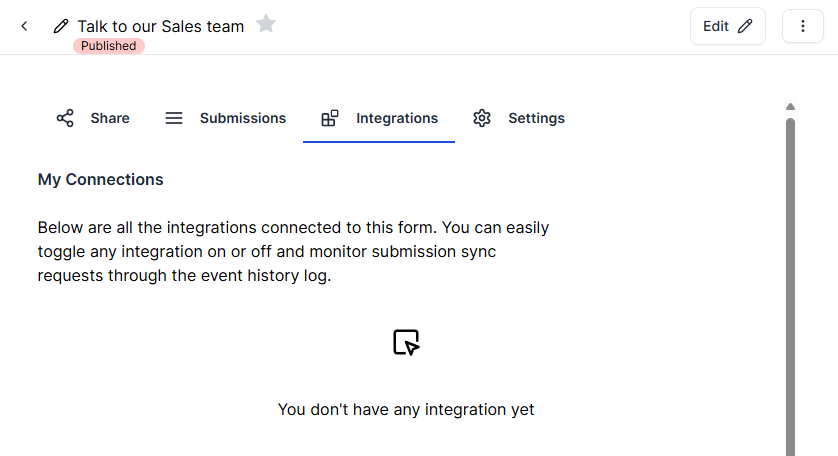
Navigate to section integrations
From the form’s panel, go to the Integrations section.
Select the Discord integration
From the list of integrations, choose the Discord integration.

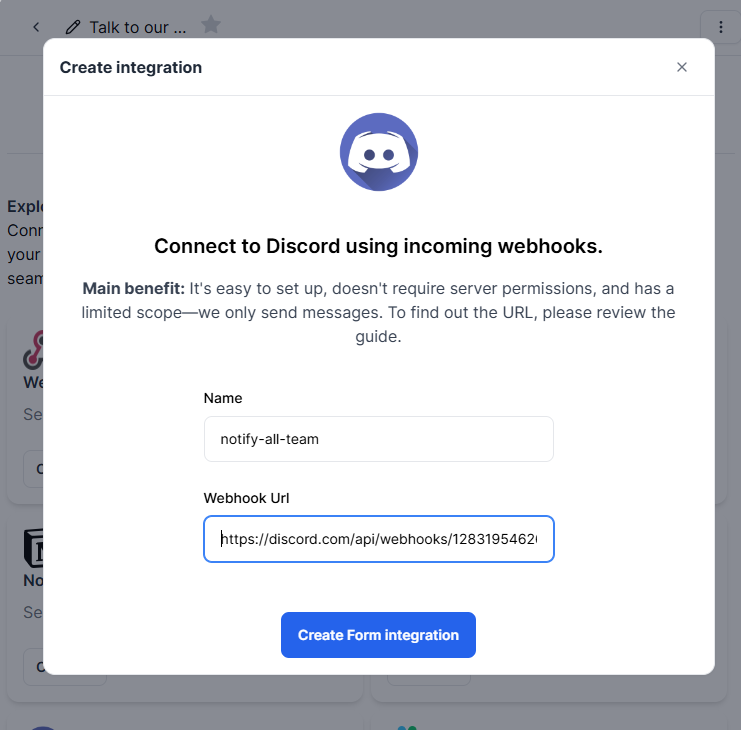
Fill the data
Enter the name for the integration and paste the webhook URL you copied from Discord.
Created Integration
Once you've created the integration, it will appear in your list of integrations.